Check decimal points, minus signs and units after slide OCR
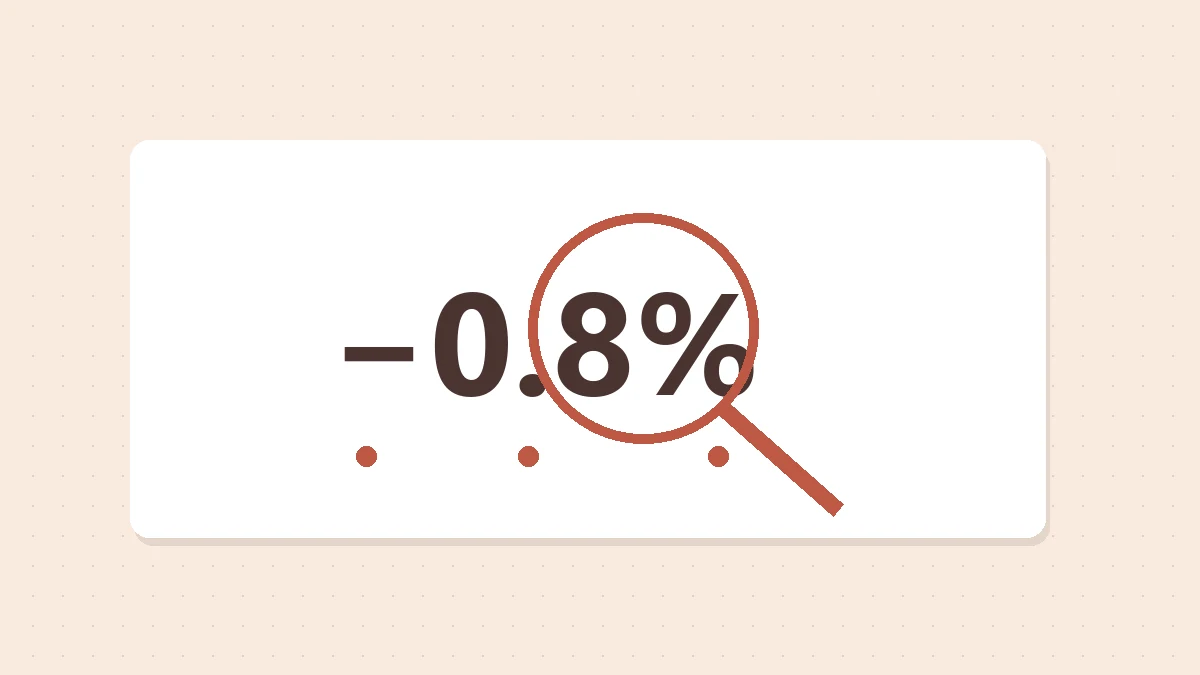
A missing sign changes −0.8% to 0.8%. Open the source PDF and the converted PowerPoint side by side and start with the smallest printed figures. Check that you can actually distinguish the decimal separator, sign and unit in the source.
Convert a scanned page to editable text
Read the column heading with the number
A column headed “Revenue (thousands)” may contain just 12.5. Read the row label, column heading and value together. This catches units placed with an adjacent column during recognition. Distinguish a date separator, a minus sign and a dash used for missing data by checking how each appears in the original.
Work through a pair of percentages
For practice, take a previous value of 12.5% and a current value of 11.7%. The difference is −0.8 percentage points. Match the period labels first, then check the decimal point in 11.7 and the sign of the difference. A separate column for relative change uses a different calculation and needs its own check.
Verify the row after correcting the text
Edit an existing text box directly. For a flattened scan, Standard conversion can produce editable boxes. Place the cursor on either side of the number to check spacing, then deselect it to see whether the final digit or unit runs out of the box. Save a copy, reopen it and read each corrected value with its row and column labels.
If the scan is too blurred to distinguish 1 from 7, verify the figure in the source table or a clearer copy. To make a table that colleagues can fill in cell by cell, see rebuilding a table from a slide screenshot.